
Networking
All about Connection
Networking
Data communication cannot be separated from Networking Equipment and supporting devices that accompany it in a data communication process. Networking has been very developed, so it has entered into various aspects of life and greatly facilitates life both in the Home, Office, Government and other Activities. The right choice of Products and Services from Networking will help smooth the work process related to data communication. Since the Covid-19 Pandemic, Networking has grown tremendously to help smooth work, especially in conditions of Working from Home or working remotely. SMI has experience in building reliable Networking for SOHO, Enterprise and Public.
SOHO NETWORK Requirement, Planning and Implementation
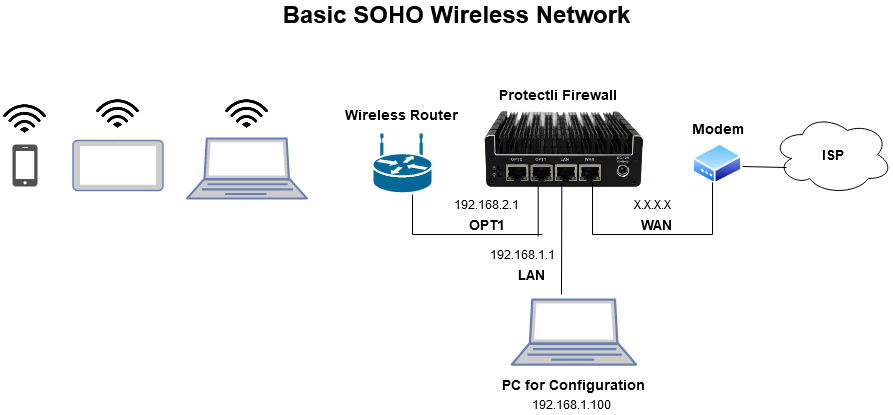
SOHO network or also termed as single or small office/home office network is mainly referred to a business category involving a small number of workers usually from 1 to 10. It is a type of local area or LAN network connection meant to be used in small businesses. Like many other LANS, SOHO network may also be a mixture of networks of wireless or wired computers. The SOHO router is more or less the conventional broadband router designed to be operated in such organizations. A SOHO network may also support a bit larger group of peoples and is generally a privately owned or owned by self employed individuals for a smaller business organization.
SOHO, nowadays, is becoming more and more popular in different sectors including networking circles. As there is increase in the number of smaller business units, the call for SOHO networks is also in demand and is on the rise day by day. The features and benefits provided by SOHO such as easy to use and setup network etc. makes them an ideal choice for the same. Virtual office is another synonym sometimes used for a SOHO network. SOHO networking is mainly used for the purpose of connecting several computing devices on a single network to share the information effectively with the connected multiple users in the organization.
SOHO NETWORK List of Requirement!
Each and every connection for a SOHO network needs some of the common connecting devices. Below are mentioned some of the top requirements for setting up a SOHO network: Router tops the list of the most basic and important requirements for a SOHO network access. They are also the best choice to be used in small offices because of their ability of identifying IP address through each of the computing devices. Some of the good routers will also include an inbuilt option of a firewall system which also helps in preventing malicious attacks which generally comes from the files or data coming from the web. All the computing devices on the SOHO network will also require a network card along with a network adapter or a network cable. This will be helping you in the process of file sharing when single computer on network known as server will be accessing the network and sharing the files with the shared computer on that network. Modem is also an essential need for this network as it will be mainly responsible for receiving and communicating the signal from the service provider of the internet. Every SOHO communication makes use of a large number of apparatus to ensure that the signal is free flowing and the information is transmitted without any loss in the system. Network cable is also required for this purpose. The network cable will serve as a medium and set up the link between the modem and the router. Ensure to connect the cable in the appropriate port of each side. Now, begin with SOHO by connecting the computer to the routers and the modem with internet cable.
Device types or requirements There are many other types of requirements which are a necessity for creating a SOHO network. Few of them can be listed as: Hardware requirements: These consist of an Ethernet adapter for every computer that you will be connecting on the network. While buying any new equipment, use 100 base T equipments. If you already possess 10 base T adapter cards, buy dual speed 10/100 hub which will help you in maintaining backward compatibility along with the previous equipment and forward compatibility with newer equipment. Ethernet Hub : The working of a brand is good as the range over which the hub goes. Get the one which has more ports than the number of devices you wish to add to the network. The other thing to be kept in mind while buying is if the hub is 10 base T or 100 base T or both. If you are planning to use older equipment, then it is advised to go for a dual speed hub and if not, then get yourself a 100 base T hub. Adapter cards : For each of the computer you wish to add to the network, you will need an adapter card. While buying the cards, you will need to make it sure that they will be compatible with operating system and the hardware of the device on which it may be installed. PCI adapters of NE2000 clones are best suited and easy to use on a LINUX operating system. Any of the adapter cards you intend to buy, just make sure they are faster 100 base T cards. You will need to have the knowledge of operating the computer and installing the adapter card for this purpose. Wireless Network Interface Card (NIC) : For each of the computer you wish to add to the network, you will need a wireless network interface card. It is an Ethernet card which also has a built in antenna which helps in communication of the device with the access point. Wireless Access Point: This will act as central receiver for the device. This wireless access point will be connected to the wired switch or network router.
SOHO NETWORK LIMITATIONS
Environment limitations The SOHO network should be carefully planned keeping the environmental limitations and considerations in mind. There is a range of environmental considerations to be kept in mind before designing a SOHO network especially if you are looking to design a wired network. Make sure that the routers or any network switches are in a proper area which is confined from flooding dangers and the high humidity factors or not cold enough so that a proper operating temperature is maintained. In case of a wireless network, structure and design of the building should be taken into account and things responsible for reflection or absorption of the radio waves must be taken care of. You won't need any expensive designing but it will be mandatory that you can see the data yourself and nobody else can. There are also a set of unique and different set of requirements required for a SOHO network. The infrastructure challenge is a big one which can be different from many of the corporate offices Plan a proper outlay of supporting the different devices for longevity. Also, equipments will require a moderately cooler temperature so that they do not get heated up quickly and can function properly for longer use. A ventilated area will serve the purpose. An Uninterrupted Power Supply (UPS) is also a necessity for setting up the SOHO networks in case of any power failure or power outage so the servers can continue to work normally. Be aware of the wireless network around the building to avoid conflicts between them and make a proper control over it. Don't mix or set up the network at the same frequency as the person next door is using to avoid conflicts.
Equipment limitations Most of the devices purchased and used in a SOHO network are basically a scale down version of the exact equipment that is used for the enterprise network. For instance, a router can also add security configuration and specific static routes, but it most probably be in graphical user interface system so that one can easily understand the process without any training requirement. There will also not be available the redundancy and flexibility that you will be getting in an enterprise networking system. Thus, this should probably not be suitable for use in larger networks. SOHO equipment should only be used in a SOHO environment and not meant to be used at larger networks. You need to know that the equipments are less capable and are a smaller version of the big ones. Network, power and environmental conditions are all different for these types of equipments. Also, this will be costing you some lesser bucks because of the lesser features and can help in financial trade off. The device is designed to meet the needs of fewer people, so it will have lesser speed and also contains redundancy limitations. These also do not have a lot of management options available to them, there are not a lot of command line and not a lot of diagnostics that you can perform in an enterprise network. There are also not a lot of options available for upgradability, this means that it will be limited by the amount of internet bandwidth that will be coming to your home or the building.
SOHO NETWORK Compatibility Requirement
Environment limitations The most important process for setting up a SOHO network is to know about the compatibility requirements. The hardware requirements, software requirements, adapter cards etc. and all the basic equipments required have to work in collaboration to build up a good working SOHO network. This will make it easier to troubleshoot and make up for a stronger network. Every site for the SOHO network will be configured identically to make the network as a standardized unit. Make sure the network pieces can all talk between them properly even if it is a wired connection or a wireless one. The wireless access points may not function or communicate the same way all the other wireless technologies does. So, the enterprise will be providing that standard set of SOHO for both the wired and wireless infrastructure. TCP/IP protocol is generally used these days to communicate the wireless technologies and in a SOHO configuration setting, the TCP/IP may also be standardized from site to site. An interesting compatibility requirement between the various operating systems like Windows, MAC OS or LINUX etc. need to be made sure that they are built in a SOHO. Backup requirements in a SOHO may also be a little bit different.
SOHO businesses are exaggerating with the advancement in technology which allows the workers from home to attach to internet whenever and wherever they want. With the services and goods being made especially for these smaller networks, the SOHO network and its demand is on the rise and you just need to make sure of the whole system working together. Get ready to even open you small office at maybe from your home with these little yet big SOHO networks..
Enterprise Networking
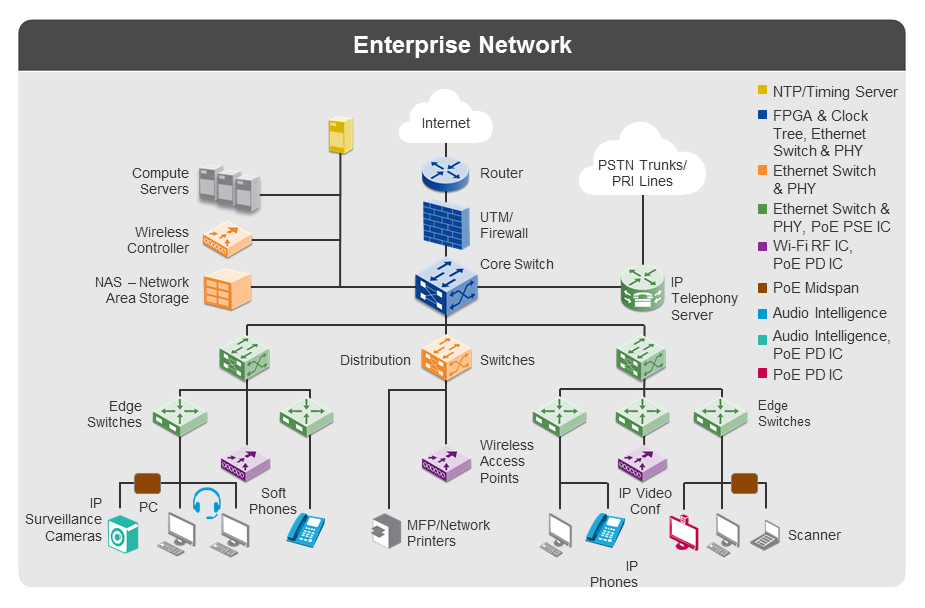
nterprise networking refers to the physical, virtual and logical design of a network , and how the various software, hardware and protocols work together to transmit data.
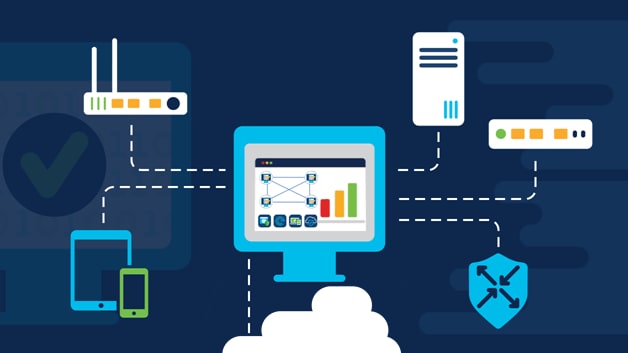
"Enterprise network" denotes the IT infrastructure that midsize and large organizations use to provide connectivity among users, devices, and applications. The goal is to support the organizations' objectives by consistently delivering connected digital services reliably and securely to workers, partners, customers, and, increasingly, also things. A well-designed enterprise network provides the proper connectivity for all users, things, devices, and applications present in an organization, as appropriate for the role, purpose, and location of each
Enterprise Networking
What does an enterprise network comprise?While an enterprise network needs to deliver end-to-end services to users, things, and applications, it may consist of separate but connected constituent domains. Typically, each constituent network is designed, provisioned, and optimized for its own purpose and business objectives. Constituent network types include:
Campus, branch, and Internet of Things (IoT): These networks provide fixed and mobile access to users and things. They are present in all areas of an organization, both in offices and in operational spaces such as manufacturing and warehouse facilities. These networks are optimized for transparent, secure access and high density. Data center and hybrid clouds: These networks connect to and among applications, workloads, and data, within on-premises data centers and private and public cloud services. They're optimized for low latency, security, and mission-critical reliability. Wide-area networks (WANs): These networks connect facilities, buildings, or campuses to other branches, to data centers, or to cloud resources. They're optimized for user experience and bandwidth efficiency.
Enterprise Networking Trends
Higher speeds Wi-Fi 6, 5G, and newly opened frequency bands for ultra-fast, short-range transmissions are enabling access to high-speed wireless connectivity for more users and IoT devices in more settings. At the same time, 400 Gbps is the new standard for high-speed data center networks. These innovations are spurring productivity enhancements and continued innovation across organizations. Automated and intelligent networks Increasingly, network management is being automated, with software that can recognize connected devices, profile them, and determine whether they can be trusted. They can detect performance problems or potential threats and respond automatically. Artificial intelligence (AI), machine learning (ML), and machine reasoning (MR) are now making networks smarter by adapting to the unique needs of each organization and customizing recommendations. Intent-based networks More and more enterprises are aligning their networks to intent-based networking (IBN) principles. Intent-based networks use advanced analytics along with software-defined networking (SDN)-based automation to continuously align network performance to changing business needs. They capture business intent, translate it into policies that can be applied consistently across the network, and continuously monitor and adjust network performance to help achieve desired business outcomes. Zero-trust networks Widespread mobility and cloud adoption require an enhanced approach to protecting users, applications, and data. A zero-trust security framework helps to prevent unauthorized access, contain breaches, and reduce the risk of an attacker's lateral movement through the network
Advantage of an Optimized Enterprise Network
Always-on connectivity A well-designed enterprise network provides the proper connectivity for all users, things, devices, and applications present in an organization, as appropriate for the role, purpose, and location of each. Optimized user experience An enterprise network can help improve the user experience through proactive network optimization, faster issue resolution, proper prioritization of essential traffic, and helping to ensure security and privacy. Readiness for digital transformation An enterprise network can be designed to support digital initiatives needed to quickly adapt to rapidly evolving needs, including expansion, scaling, growth, and introduction of new services. Easier network management Network management tools such as network controllers give administrators the ability to set access rules and permissions for users and departments, add new users or functions easily, and monitor performance and take corrective action, all from a central interface. Enhanced security In addition to security applications and devices, such as firewalls and secure Internet gateways, an enterprise network becomes a primary detector of threats and an enforcer of security and compliance. It does so with device identification, profiling, and verification, network monitoring, authentication, access controls, segmentation, and device and account management. Flexible software subscriptions Enterprise networks that use subscription-based licensing get continuous access to the latest networking and security innovations. They are better able to keep pace with their expanding demands as technologies and requirements change. Seamless cloud integration As more and more data and applications are developed, deployed, and delivered across multiple public clouds, enterprise networks provide seamless connectivity between users and cloud applications. They also optimize workloads between on-premises locations and public clouds.
Network Security
Network security combines multiple layers of defenses at the edge and in the network. Each network security layer implements policies and controls. Authorized users gain access to network resources, but malicious actors are blocked from carrying out exploits and threats.
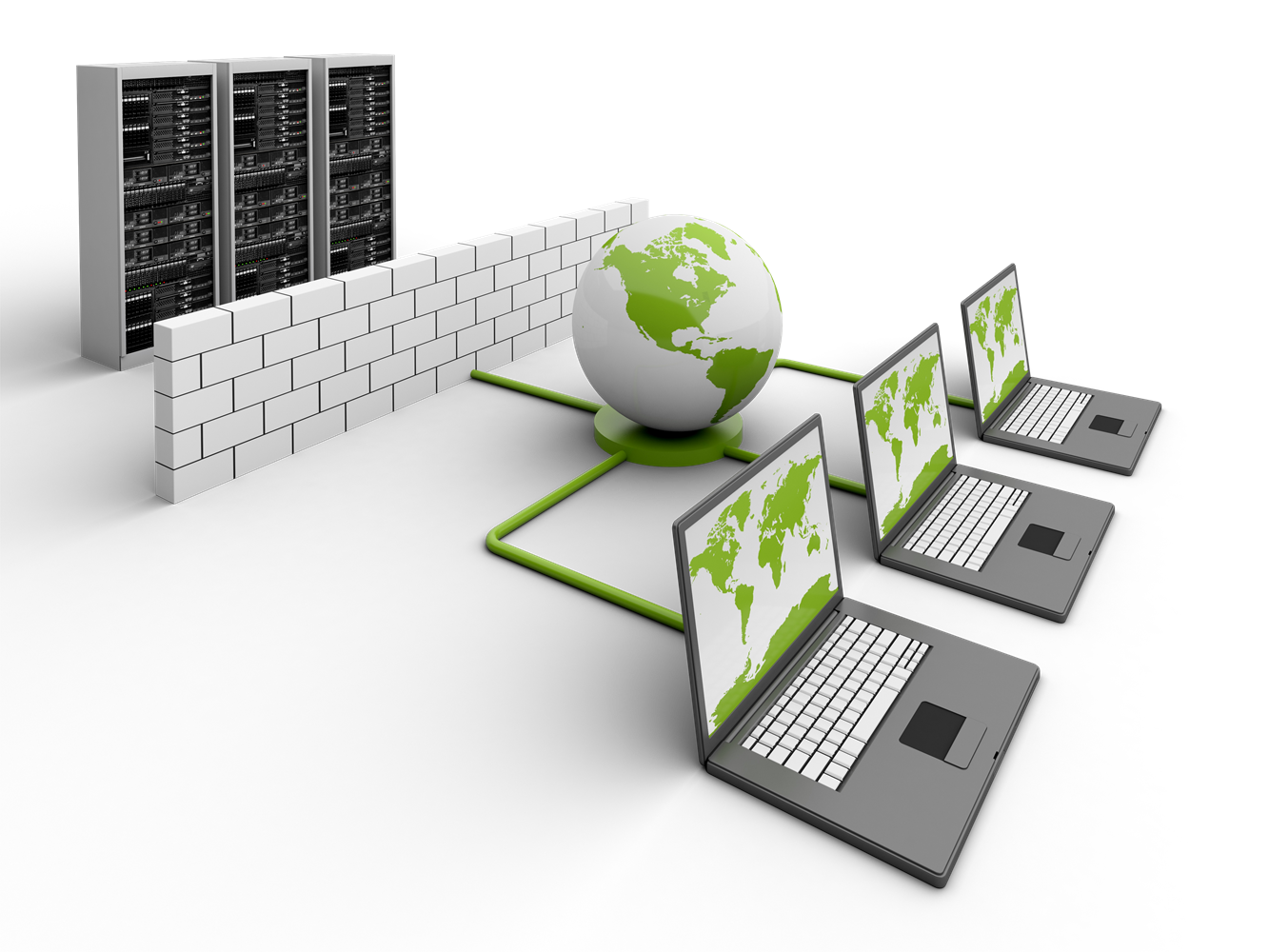
protects your network and data from breaches, intrusions and other threats. ... Network Security involves access control, virus and antivirus software, application security , network analytics, types of network -related security (endpoint, web, wireless), firewalls, VPN encryption and more..
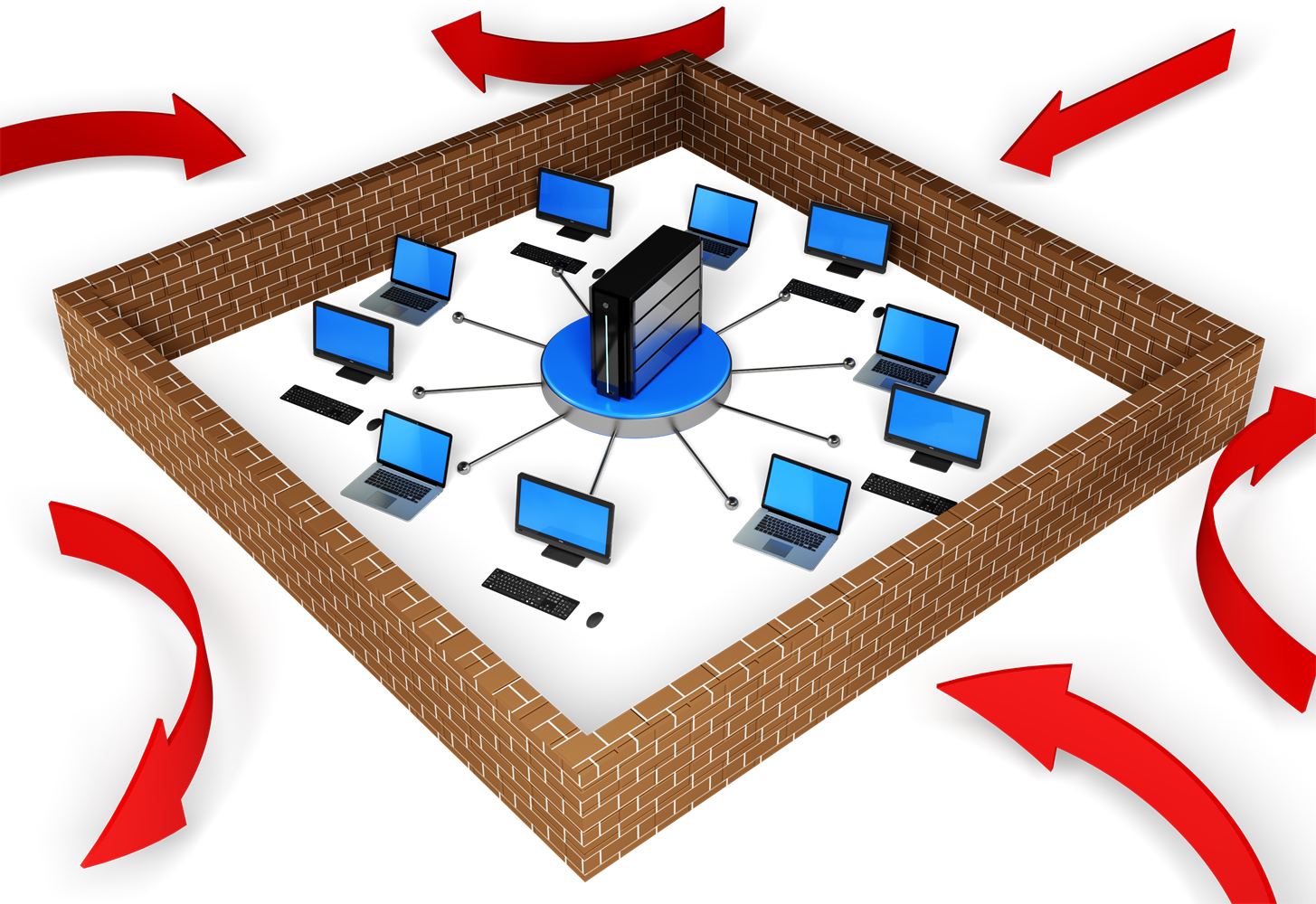
Types of network security
Firewalls Firewalls put up a barrier between your trusted internal network and untrusted outside networks, such as the Internet. They use a set of defined rules to allow or block traffic. A firewall can be hardware, software, or both. unified threat management (UTM) devices and threat-focused next-generation firewalls ..

Types of network security
Email Security Email gateways are the number one threat vector for a security breach. Attackers use personal information and social engineering tactics to build sophisticated phishing campaigns to deceive recipients and send them to sites serving up malware. An email security application blocks incoming attacks and controls outbound messages to prevent the loss of sensitive data.

Types of network security
Anti-virus and anti-malware software "Malware," short for "malicious software," includes viruses, worms, Trojans, ransomware, and spyware. Sometimes malware will infect a network but lie dormant for days or even weeks. The best antimalware programs not only scan for malware upon entry, but also continuously track files afterward to find anomalies, remove malware, and fix damage..
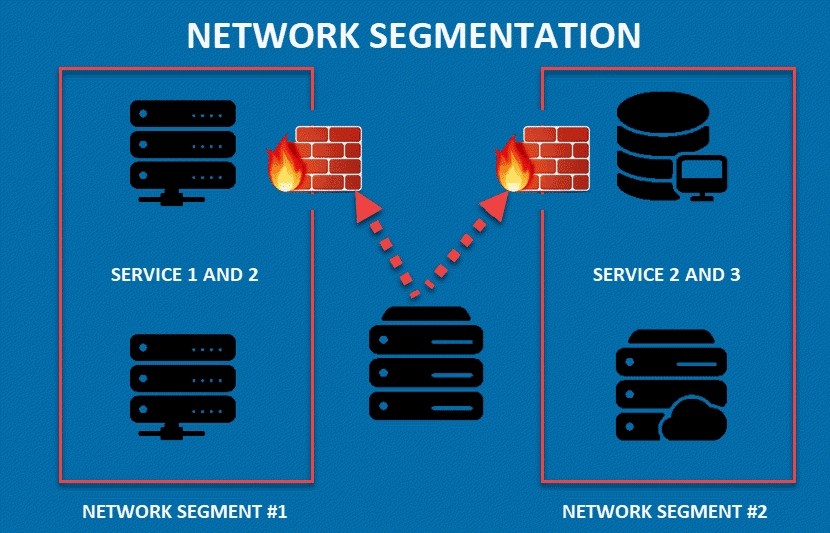
Types of network security
Network segmentation Software-defined segmentation puts network traffic into different classifications and makes enforcing security policies easier. Ideally, the classifications are based on endpoint identity, not mere IP addresses. You can assign access rights based on role, location, and more so that the right level of access is given to the right people and suspicious devices are contained and remediated...
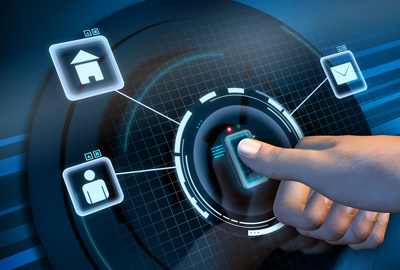
Types of network security
Access control Not every user should have access to your network. To keep out potential attackers, you need to recognize each user and each device. Then you can enforce your security policies. You can block noncompliant endpoint devices or give them only limited access. This process is network access control (NAC)...

Types of network security
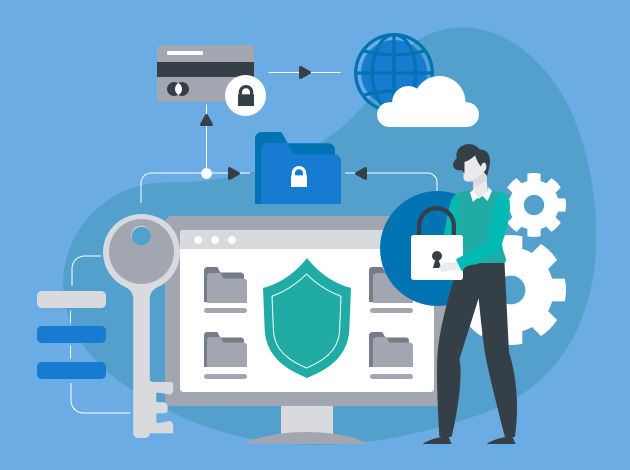
Application security Any software you use to run your business needs to be protected, whether your IT staff builds it or whether you buy it. Unfortunately, any application may contain holes, or vulnerabilities, that attackers can use to infiltrate your network. Application security encompasses the hardware, software, and processes you use to close those holes...
Types of network security
Behavioral analytics To detect abnormal network behavior, you must know what normal behavior looks like. Behavioral analytics tools automatically discern activities that deviate from the norm. Your security team can then better identify indicators of compromise that pose a potential problem and quickly remediate threats.

Types of network security
Data loss prevention Organizations must make sure that their staff does not send sensitive information outside the network. Data loss prevention, or DLP, technologies can stop people from uploading, forwarding, or even printing critical information in an unsafe manner. Data Loss Prevention ..
Types of network security
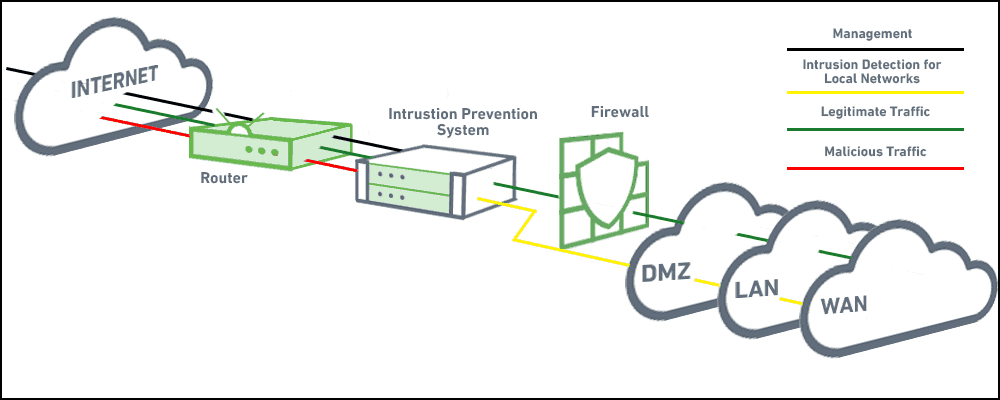
Intrusion prevention system s An intrusion prevention system (IPS) scans network traffic to actively block attacks. IPS (NGIPS) appliances do this by correlating huge amounts of global threat intelligence to not only block malicious activity but also track the progression of suspect files and malware across the network to prevent the spread of outbreaks and reinfection....

Types of network security
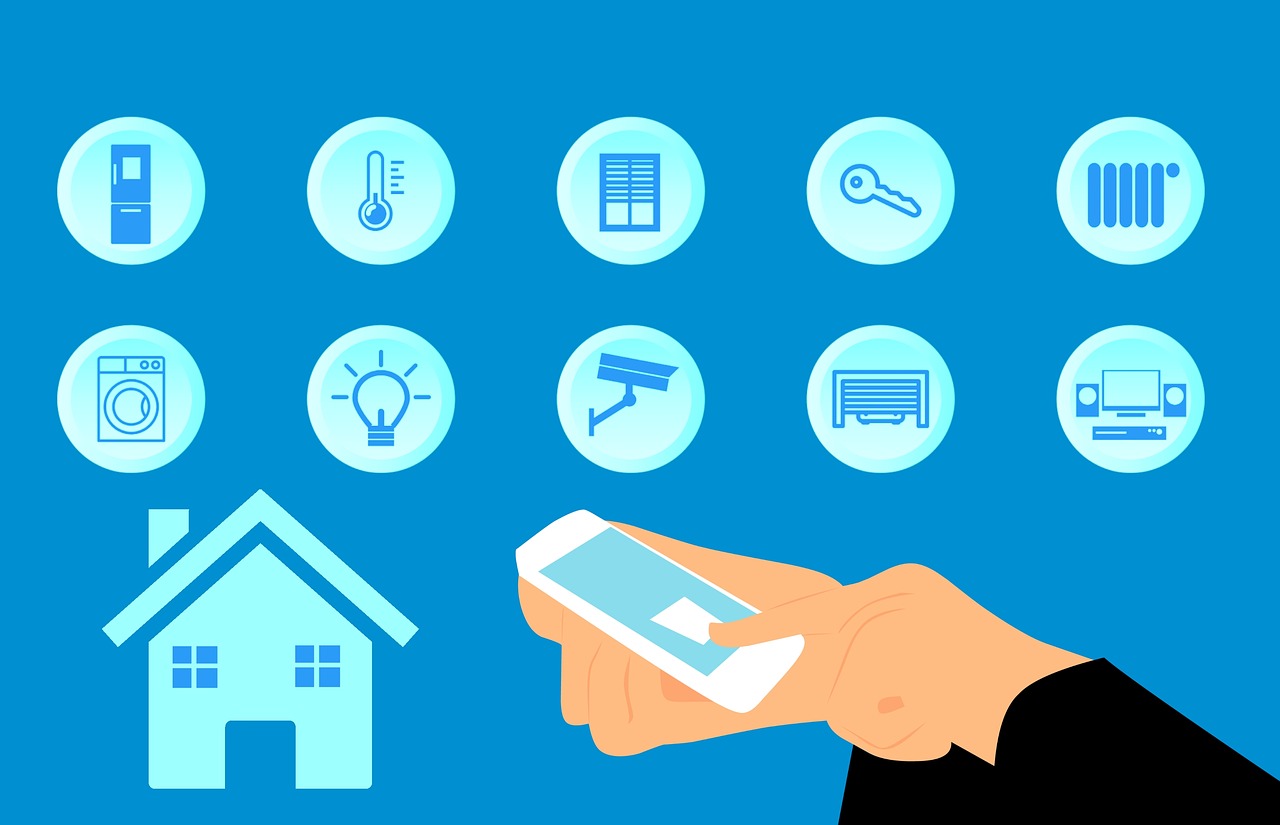
Mobile device security Cybercriminals are increasingly targeting mobile devices and apps. Within the next 3 years, 90 percent of IT organizations may support corporate applications on personal mobile devices. Of course, you need to control which devices can access your network. You will also need to configure their connections to keep network traffic private....
Types of network security
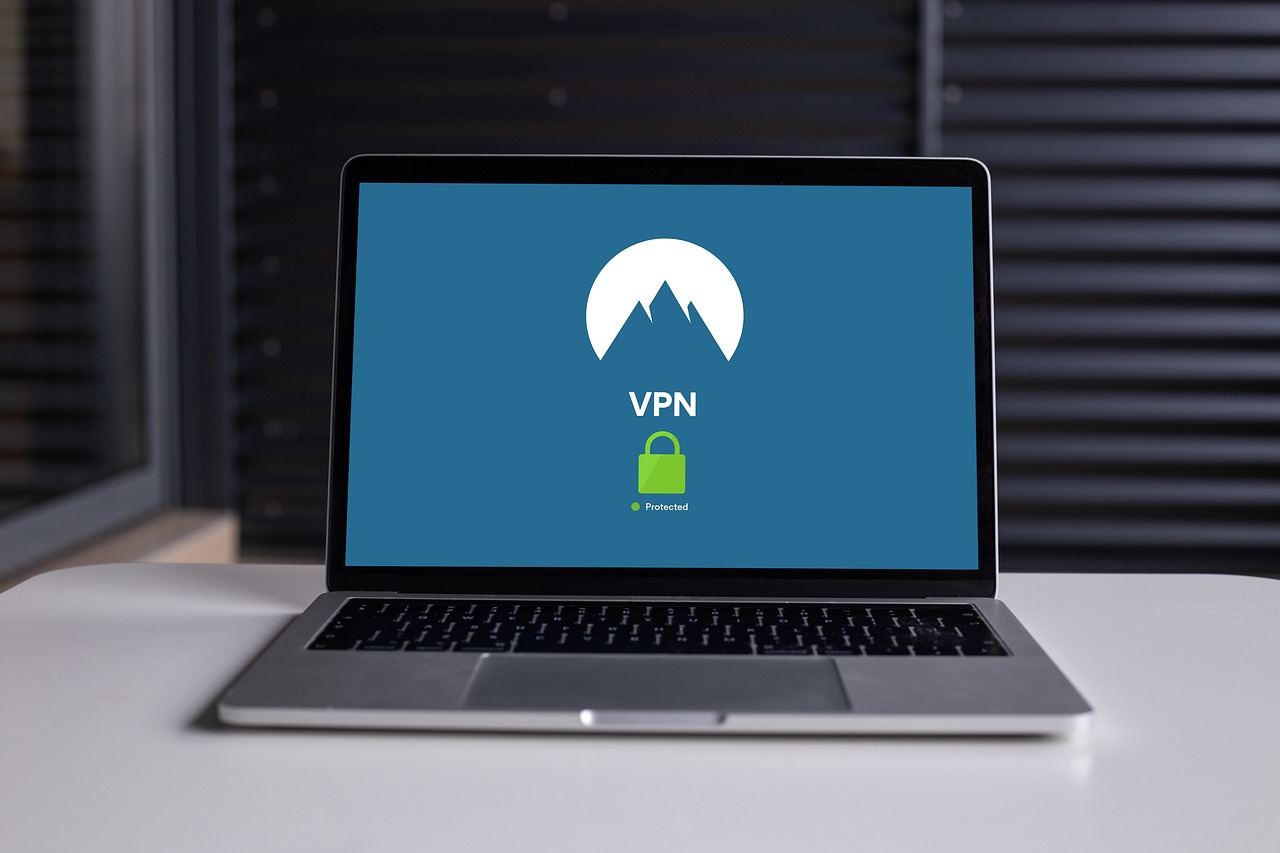
VPN A virtual private network encrypts the connection from an endpoint to a network, often over the Internet. Typically, a remote-access VPN uses IPsec or Secure Sockets Layer to authenticate the communication between device and network...

Types of network security
Web security A web security solution will control your staff’s web use, block web-based threats, and deny access to malicious websites. It will protect your web gateway on site or in the cloud. "Web security" also refers to the steps you take to protect your own website.
Types of network security
Wireless security Wireless networks are not as secure as wired ones. Without stringent security measures, installing a wireless LAN can be like putting Ethernet ports everywhere, including the parking lot. To prevent an exploit from taking hold, you need products specifically designed to protect a wireless network.k...
Server & Storage
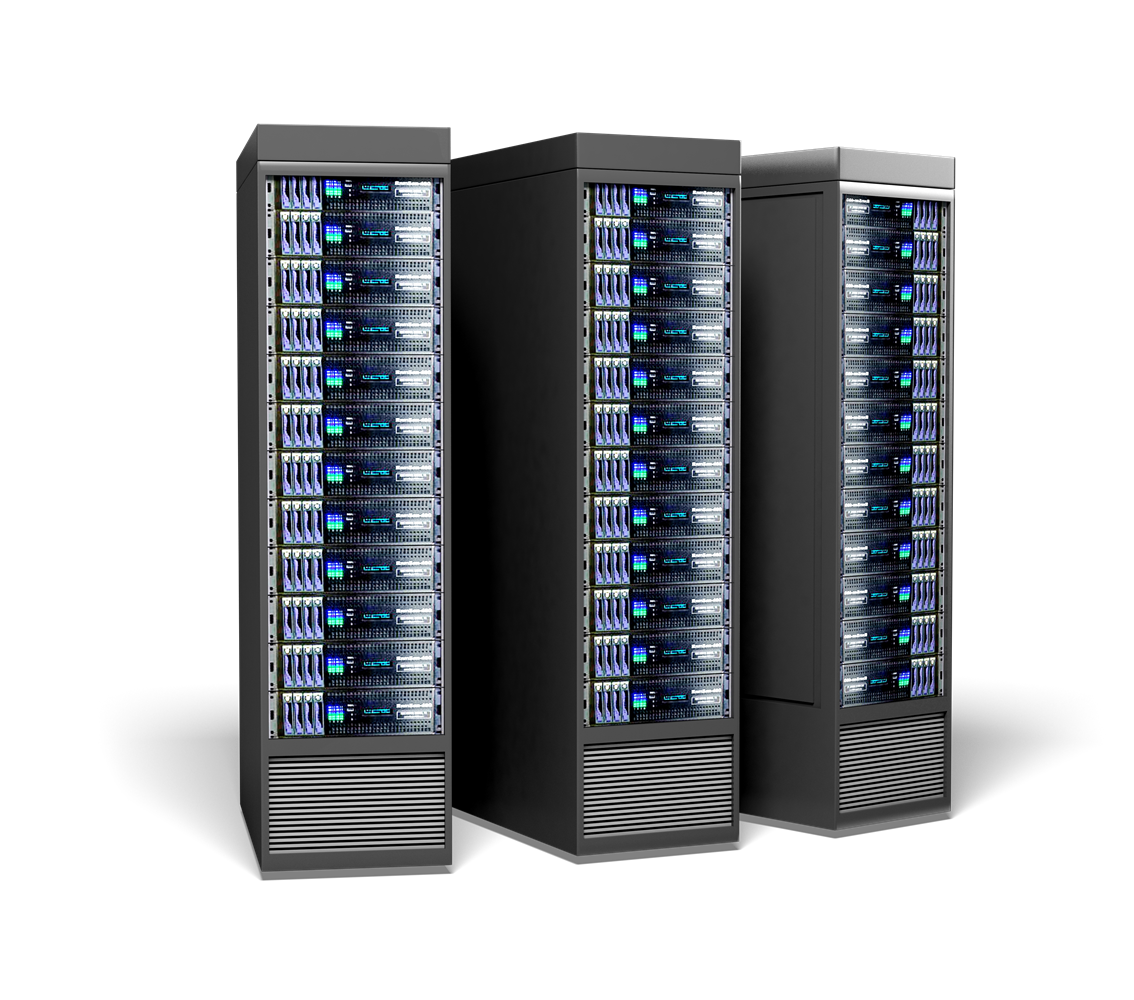
The main difference between server and storage is that the server is a hardware device or a program that provides services to the client machines in the network according to their requests while the storage is a component in the computing device that stores data for long-term accessing. A server provides various services to multiple clients. They store and manage data, allows sharing resources, perform computation and many more. There are powerful servers running in data centres for efficient and reliable communication. However, storage refers to secondary memory that stores data permanently. It allows the processor or the CPU to transfer its data to the memory (RAM) for short-term data access.

Six Server Technology Trends: From Physical to the Virtual and Beyond
Server technology has come a long way in the last 10 years. Why 10 years? No real reason, really. I chose that figure pretty much arbitrarily. Because whether you pick 20 years or two years, as with all things in technology — and in life — change is the only constant. Just consider the fact that what we in IT call servers today are vastly different from what we called them just 10 years ago. In fact, a “server” today isn’t even necessarily an actual physical device. With this in mind, let’s take a look at six of the biggest trends now operative in server technology.
- Processor
- Big Data
- Perfomance
- Virtualization
- Memory
- Mobile Apps
- More Change Ahead
Description
The Move from Single-Processor Systems to Multi-Processor SystemsAt the highest level, application and market needs drive trends in server technology. Remember when, decades ago, the performance requirements of enterprise applications like databases, ERP and CAD programs started to stress the capabilities of single-processor server systems? In response, the industry developed multiprocessor servers as well as the programming models to go with them. Not surprisingly, as the needs of large enterprises grew, server vendors responded with larger and larger multiprocessor systems.
Big Data and the Scale-Out Model of ComputingWhere are we today? Very much in an environment of big data and the scale-out model of computing. And the new breed of applications for the web-based economy — what many call big data applications and the latest generation of NoSQL database applications — have similarly stressed the capabilities of even the largest multiprocessor servers that we can build. This gave rise to the development of programming models that enabled applications to use hundreds or even thousands of networked servers as a compute cluster platform. This is what Google calls “Warehouse Scale Computer.” It’s also known as the scale-out model of computing, as opposed to the scale-up model that uses larger and larger multiprocessor systems. In this scale-out context, a single physical server is a component of a compute cluster, and that compute cluster is, in turn, the new server.

Advances in High-Performance Networking Technology
The notions of scalability, failure resiliency, on-line fault repair and upgrade have also moved from server hardware to cluster software layers, enabled by advances in high-performance networking technology. 10Gb Ethernet enables I/O devices that before had to be directly integrated with servers for performance reasons can now instead be served over the network. Consequently, the architecture of a single physical server component has been simplified significantly. At the hardware level, it is the most cost-efficient compute platform with one or two processors, memory and network interface. At the same time, Linux has become the most widely accepted base software platform for these servers. The “design” of a server now consists of composing a network of simplified physical servers and I/O devices in software. Such a server can be sized (scaled up or down) as needed, and as often needed, in software based on enterprise workflow requirements — a functionality that was before impractical. The downside of this model is there are a lot of hardware and software components that must be configured properly to work together. This model requires new management systems and hardware architectural elements that didn’t exist until just
Virtualization and Container Technologies
Virtual machine (VM) and container technologies enable abstraction and encapsulation of a server’s compute environment as a software entity that can be run as an application on a server platform. These two technologies are becoming the norm in public cloud providers. Multiple such VMs and containers can be deployed on a physical server, enabling consolidation of multiple servers onto a smaller number of physical servers. This thereby improves hardware efficiently and reduces data-center footprint. In this context, a “server” is a VM or a container software image and not a hardware entity at all! Such a “server” can be created, saved (or suspended), or transferred to a different hardware server — concepts that are totally alien to the traditional notion of a server, but which create deployment capabilities unavailable with physical servers. Additionally, a VM or container image of a fully configured and tested software stack can be saved and distributed, encapsulating the learning and expertise. This helps in rapid application deployment, saving manpower costs and time. This is one of the major value propositions of the VM and container model.Much like a fully configured and tested software stack of a VM/container can be managed as a software image that can be saved and redeployed, the software stack of a scale-out environment — including the configuration of the underlying logical servers — can be abstracted, saved and redeployed. This enables rapid deployment of scale-out applications, helping enterprise end users deal with the complexity of scale-out systems. This is particularly valuable given the fact that the underlying compute platform can be modified based on workflow needs.
But let’s not forget entirely about hardware. Advances in memory technology, such as Phase Change Memory and ReRAM, are enabling a new class of memory with access times similar to DRAM in present-day servers yet offer two to 10 times the capacity, cost advantages and persistence. This forthcoming class of memory will create a new layer of memory hierarchy between DRAM and disk storage, known by the terms Storage Class Memory and Persistent Memory. The high capacity, coupled with low latency offered by the new memory technology, will enable an entirely new class of applications with performance that is orders of magnitude higher than present-day servers. But at the same time, it presents a number of architectural challenges that need to be overcome to achieve full potential and widespread use. These include (a) application awareness of a region of memory in the system being persistent, while a portion of that memory space is in volatile caches either on the processors or in DRAM and (b) dealing with failed servers with persistent, and potentially valuable data. The Linux community is actively working on these issues and we should see solutions starting to pop up within the next 12 to 18 months, if not sooner.
Machine Learning and Mobile Applications Linked to Enterprise DatabasesUntil now, general processor architectures such as x86 have been exclusively used in the design of servers, and these general-purpose microprocessors would be programmed for every application need. However, newer, more robust and demanding applications like machine learning, security functions and high-bandwidth compression perform very inefficiently on general-purpose processors. As a result, newer servers being deployed today are based on a hybrid of GP and GPU processors, machine learning processors and crypto processors. These newer servers offer vastly improved performance levels (orders of magnitude) than the standard general processor architecture. As a result, enterprise data centers will move to an increasingly heterogeneous compute environment, with application-specific servers.Additionally, mobile applications linked to enterprise databases that respond in real time drive the market need for this new kind of server. While the end-users of traditional enterprise applications were generally limited to the enterprise employees and potentially some partners, these new applications now enable millions of online customers to have access to enterprise applications such as in health care, financial, travel, and social media. They demand orders of magnitude higher transactional throughput and millisecond response times. The new scale-out applications, such as NoSQL databases, combined with flash-based storage are being deployed to address this need.
Expect to see More Change AheadSo as the cursory summation of current trends in server technology above shows, there’s no shortage of change and innovation, of finding new solutions to the new problems that the advances themselves introduce. In the last few years, big data, scale-out computing, advances in high-performance networking technology, virtual machines and container technologies, advances in memory technology, machine learning and other advanced applications linked to enterprise databases have all contributed to the progression of servers. And now that a server isn’t even what we knew as a server just a decade ago, who knows what one will look like 10 years from now?
Thin Client
What is Thin Client
A thin client is a computer that runs from resources stored on a central server instead of a localized hard drive. Thin clients work by connecting remotely to a server-based computing environment where most applications, sensitive data, and memory, are stored.
While the traditional desktop PC or laptop is still used by many businesses, the thin client is another option that's growing in popularity. Essentially, a thin client is a barebones computer that serves to remote into a server, which handles all the computational load that the local computer ("fat client") normally handles.Thin clients have several pros, but a few cons to consider as well. Here's the information you need to know to help decide if thin clients are right for your business.
- Pros
- Cons
Pros of Thin Clients
Pros of Thin ClientsLet's look at the various ways that thin clients can improve your infrastructure.
- Space
- Lower Cost
- More Security
- Easier to manage
- Energy Efficiency
Space Thin clients are, unsurprisingly, physically tiny. This means that in areas where you don't have a lot of space to work with, thin clients can provide a user with access to a machine without taking up much room. In addition, since thin clients hand off the heavy lifting to a server, they don't require as much "breathing room" for the fans to cool the internals of the machine.If your business has workspaces an industrial environment where dust and debris might hamper the function of a normal computer, a thin client could be the right choice. Lower Costs In the long run, using thin clients will save you money. Because they have few internal parts, there aren't many ways that the computer could physically break. In addition, they are easy to plug in and set up, which saves you IT costs.You'll experience longer lifespans with thin clients, too. With no moving internal parts and the operating system/software handled on the server, these take far longer to become outdated than a typical PC. More Security Users accidentally installing malware or otherwise compromising your systems is always a threat with dedicated PCs. Using thin clients, users only have access to the server (which they need to be connected to in order to use their computer) via a network connection, which you control. Thus, you can define strict rules for security to ensure that malware and other problems are kept out.Since all activity is centered in one place, it's easy to keep an eye on what's happening and shut down any suspicious activity immediately. Easier to Manage When every employee has their own computer, your IT has to deal with the possibilities of every computer running into an issue (whether with hardware or software). Using thin clients, everyone remotely connects to a server (or multiple servers), which makes for less time spent on setup, running Windows Updates, and fixing common issues.Again, everything being centrally located means your infrastructure runs more efficiently. In addition, when thin clients do need to be replaced, they can be easily swapped for another machine and it only takes a moment to plug in the keyboard, mouse, and monitor into the new one. All of the data is stored on the server, meaning that you don't lose anything if a thin client is destroyed in a disaster or stolen. Energy Efficiency Since they're smaller, thin clients consumer far less power than normal PCs. They also produce less heat than a desktop or laptop, and don't need mechanical parts replaced and old components thrown away. This all leads to a more "green" operation for you, which is valued in today's business world!Our new installation of thin client computing technology across the business is working great plus 97% energy saving .
Cons of Thin Clients Of course, it can't all be good news. Here are some drawbacks to think about when considering the implementation of thin clients. S ingle Point of Failure (maybe) While the centralization of clients brings a lot of positives, it also implies a big potential risk: the server that the thin clients connect to is a single point of failure. If the server goes down, all clients that connect to it will be affected.This means that you must prepare for the worst. By backing up regularly (which you should be doing anyway) and holding redundant hardware that can kick in to replace a downed server, you can downplay most of the potential negatives associated with this con. With some preparation, a server crash can be mitigated and will only have a minor effect on performance.You can avoid the risk of having a single point of failure by adding a second terminal server. With this extra layer in place, should one server fail, the other will kick in and prevent outages. And you can split the load between multiple servers to improve performance. You Must Have Powerful Servers Since the thin clients rely on the server to do their work, you must have high-quality servers or performance will likely be poor. Even if you already have servers, upgrading them to handle thin client loads requires specific hardware -- meaning you'll likely have to upgrade your current equipment, which is a large initial cost. Subject to Network Issues On a local machine, a user working in Excel or other desktop software can still work when there is a network slowdown or high usage. Users of a thin client, however, can't work without their connection to the server.